

Do you feel like your digital life is more of a chore than a tool? We often get lost in complex filing systems and endless tagging. Remember, your biological mind is already a master of organization.
Your brain connects ideas automatically and instantly. That is the magic of human cognition! We want to help you reclaim your time. Focus on what truly matters, not just managing files.
Learning how to build a second brain without becoming a slave to it is about finding a rhythm that works for you. You deserve a system that supports your curiosity, not one that demands constant maintenance. Let’s simplify your workflow and get back to the joy of learning.
Key Takeaways
- Focus on capturing ideas rather than perfecting your filing system.
- Trust your natural ability to connect concepts without over-engineering.
- Prioritize systems that save you time instead of creating more work.
- Use digital tools as a support layer, not a replacement for your intuition.
- Keep your workflow flexible to adapt to your changing needs.
The Philosophy of Mindful Knowledge Management
True personal knowledge management is about creating a network of ideas. It’s not just about storing information. It’s about making connections between ideas that lead to deep learning.
Many people see their notes as a digital storage space. They save articles and quotes, hoping to become smarter. But, real growth comes from actively understanding and connecting ideas.
Seeing your notes as a thinking partner changes everything. Here are some productivity tips to help you see things differently:
- Think about how ideas relate to each other, not just store them.
- Focus on making connections, not just collecting information.
- Build a system that lets you revisit and improve your thoughts.
By treating your digital library as a living network, studying becomes enjoyable. This way of personal knowledge management makes your notes useful for thinking. It’s about creating a system that supports your creativity, not one that’s hard to maintain. Using these productivity tips will help you save time and focus on what’s important.
Step 1: Define Your Purpose to Avoid Over-Collection
Starting a second brain system begins with a simple question: why are you saving this? Before bookmarking, ask if the info helps you reach a goal.
Every new experience changes how you see the world. By setting a purpose, your digital space stays useful, not cluttered.
Identifying Your Core Projects
Your system should mirror your current life, not a vast library. Focus on three to five projects at a time.
Knowing your projects helps you filter out the irrelevant. If something doesn’t advance your work, it’s probably not needed.
The Difference Between Capturing and Hoarding
Many confuse digital content curation with hoarding. Curation picks the best for your work, while hoarding is saving “just in case.”
Hoarding leads to stress and makes finding useful info harder. It’s a cycle you want to avoid.
| Feature | Intentional Capture | Digital Hoarding |
|---|---|---|
| Primary Goal | Actionable output | Fear of missing out |
| Organization | Project-based | Cluttered folders |
| Maintenance | Regular review | Never revisited |
| Mental Impact | Clarity and focus | Overwhelm and guilt |
To effectively digital content curation, be strict about what you keep. Your system should serve you, not the other way around.
Step 2: Choose Minimalist Tools That Work for You
Your digital organization setup should feel like a comfortable pair of shoes. It shouldn’t be a complex puzzle. It’s easy to get caught up in the latest app that promises to solve all your problems.
But, spending hours on building dashboards can be a form of self-torture. It distracts you from your actual goals.
Evaluating Notion Versus Obsidian
When choosing tools, you might find yourself deciding between Notion and Obsidian. Notion is like a visual playground where you can create databases and colorful layouts. It’s great if you enjoy design and want your workspace to look professional.
Obsidian, on the other hand, focuses on text-based linking and speed. It’s like a digital garden where your thoughts grow through connections. Both tools are powerful but serve different needs based on how you think.
Why Simplicity Beats Feature-Rich Complexity
Simplicity always wins when building a lasting system. If your digital organization needs constant maintenance, you’ll eventually give up. You want a tool that extends your thinking, not traps your ideas.
The best system is one you use every day without feeling overwhelmed. Minimal tools reduce friction and let your creativity grow. Remember, the goal is to capture your brilliance, not to manage software full-time.
| Tool Type | Best For | Maintenance Level |
|---|---|---|
| Visual Dashboards | Project Tracking | High |
| Text-Based Apps | Deep Thinking | Low |
| Simple Note-Takers | Quick Capture | Very Low |
Step 3: Implement a Low-Friction Capture System
To master efficient note-taking, simplify your capture process. The best systems are easy to use. They let you save thoughts quickly without needing complex tools. This way, digital content curation becomes a helpful habit, not a chore.
Setting Up Quick-Capture Shortcuts
You don’t need expensive software to keep your ideas safe. Create a simple “inbox” for all your thoughts. Use a note app on your phone or a browser extension to save information fast.
Use native keyboard shortcuts or widgets to jot down notes quickly. This reduces the effort needed to save information. Speed is your best friend when inspiration hits.
Processing Information in Batches
Many people try to organize every note right away. This can slow you down and lead to burnout. Instead, process your information in batches.
Set aside time each week to review your inbox. Move items to their proper places then. This keeps your daily work focused on creating, not organizing. Your digital content curation will be more sustainable this way.
| Capture Method | Effort Level | Best For |
|---|---|---|
| Quick-Capture Widget | Very Low | Fleeting thoughts |
| Browser Extension | Low | Web articles |
| Manual Entry | Medium | Deep reflection |
| Automated Sync | High | Complex workflows |
Step 4: Organize Using the PARA Method Effectively
The secret to digital organization is a simple framework that grows with your life. It helps you avoid a chaotic mess of files. The PARA method categorizes everything you touch, making it easy to find what you need.
Understanding Projects, Areas, Resources, and Archives
This method is easy to understand. It divides your life into four buckets, making it simple to save items. Here’s how to organize your digital world:
- Projects: Short-term tasks with deadlines, like reports or trip planning.
- Areas: Ongoing tasks, such as health, finances, or professional growth.
- Resources: Topics you’re interested in, like recipes, coding, or design.
- Archives: Finished projects or inactive items for future reference.
When to Move Items Between Folders
Your system should be flexible, not rigid. Treat your folders as living, breathing spaces that adapt to your goals. Feel free to move items as your focus changes.
For instance, move finished projects to Archives. If a topic becomes a big part of your work, move it from Resources to Areas. This keeps your digital organization up-to-date and focused on what you need today.
Step 5: Master the Art of Progressive Summarization
Ever felt like your notes are digital ghosts? We often save everything, hoping more means better. But true personal knowledge management is about making sense, not just saving stuff.
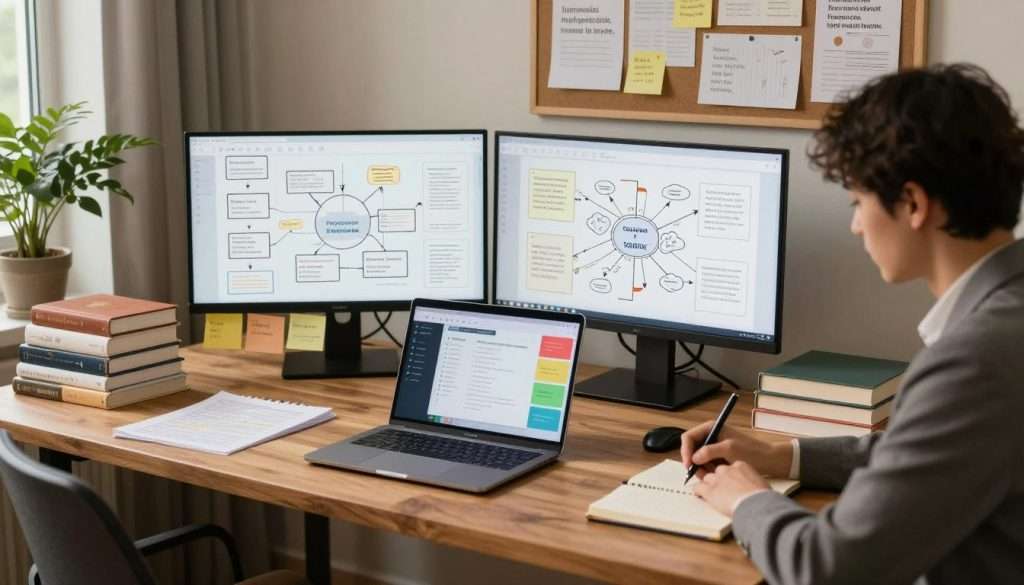
Progressive summarization is a great way to improve your notes. It makes them more valuable as you use them more. It’s a top trick for digital information retention.
Layering Your Notes for Future Retrieval
Think of your notes as a living document. They get better with each use. You don’t need to read every word to get the main idea. Here’s how to layer your notes:
- Layer 1: Capture the raw content.
- Layer 2: Bold the most important sentences.
- Layer 3: Highlight the key phrases within those bolded sentences.
- Layer 4: Write a brief summary in your own words at the top.
This method lets you quickly scan and understand your notes. It turns them into a fast way to get information for the future.
“The goal of a second brain is not to store information, but to facilitate the creation of new ideas.”
Knowing When to Stop Summarizing
It’s easy to spend too much time on notes. You need to know when to stop. If you’re re-reading the same thing over and over, it’s time to move on.
The goal is to help your creative work, not to spend hours formatting notes. Keep your personal knowledge management simple and focused. Smart, limited summarization helps you use your system for growth, not just storing.
How to Build a Second Brain Without Becoming a Slave to It
We all want a smarter system, but it shouldn’t feel like a full-time job. The goal is to help you breathe freely and focus on your creative output. If you spend more time organizing than creating, you’re experiencing system burnout.
Recognizing the Signs of System Burnout
It’s easy to get lost in organizing, tagging, and color-coding. If your digital library feels like a chore, you’re on the wrong track. Reducing digital overwhelm starts with noticing when excitement turns to dread.
- You spend more time moving notes than reading them.
- Your “to-process” folder is constantly overflowing.
- You feel guilty when you skip a day of digital maintenance.
- The thought of opening your app makes you feel tired.
Setting Boundaries for Digital Maintenance
You are the master of your tools, not the other way around. To keep your system lean, set firm boundaries that protect your time and energy. Remember, the goal is to delegate your memory to the machine so you can stay present in your life.
The Weekly Review Trap
Many people think they need a massive, hours-long weekly review to keep things tidy. This often leads to procrastination and system fatigue. Instead, try to keep your maintenance light and frequent. If a review feels like a heavy burden, you are likely over-complicating your process.
Automating Your Digital Cleanup
Technology should do the heavy lifting for you. By using simple automations, you can keep your digital space organized without manual effort. Reducing digital overwhelm is much easier when your tools handle the routine tasks in the background.
“The most effective systems are the ones that disappear into the background, allowing you to focus entirely on the work that matters most.”
Try setting up automated rules to move old files to archives or using browser extensions to capture content instantly. When you automate the boring parts, you reclaim your time to do what you actually love. Learning how to build a second brain without becoming a slave to it is all about finding that perfect balance between structure and freedom.
Step 6: Prioritize Retrieval Over Perfect Organization
To master efficient note-taking, stop organizing and start searching. We’ve all wasted time moving files into folders we never use. It’s time to ditch the dream of a perfect digital filing system.
Your digital library should help you discover, not just store. When you think about finding info later, your approach changes. This makes saving data much easier.
The Power of Search-First Workflows
Search-first workflows focus on finding what you need, not organizing perfectly. Instead of deciding where a note goes, save it and trust your search bar. This saves a lot of time and mental effort.
This method means you don’t have to worry about where to put info. If you can search for it, you’ve won against digital clutter.
Using Tags and Links Sparingly
It’s tempting to tag every note with lots of labels or link everything. But this makes your system too rigid for your creative work. We suggest using tags and links sparingly to keep things flexible.
Think of tags as broad themes, not detailed categorizations. A simple tagging system helps you avoid wasting time on efficient note-taking. Simplicity is key to a working brain.
Step 7: Embrace Imperfection in Your Digital Library
It’s time to stop treating your notes like a museum. We often think every piece of info is worth keeping forever. Perfectionism is the true enemy of a useful system, leading to clutter and mess.

Accepting That Not Everything Needs to Be Saved
Deleting a note can make you feel anxious. This fear of missing out is common but hinders a clean system. Not every article, tweet, or note needs to stay.
Ask if the info helps you now. If it’s just interesting but not useful, it’s okay to let it go. Trust your intuition; you don’t need to save everything to be productive.
The Value of Deleting Obsolete Information
Your brain works better without old data. Regularly cleaning your files is key to digital information retention. Deleting old info makes room for new, valuable ideas.
Think of your digital library as a garden. If you don’t weed, the healthy plants can’t grow. Deleting obsolete information shows your system is growing with you.
| Feature | Hoarding Mentality | Curating Mentality |
|---|---|---|
| Primary Goal | Save everything | Save only what matters |
| Mental State | High anxiety | Clear and focused |
| System Health | Cluttered and slow | Lean and efficient |
| Outcome | Digital burnout | Actionable insights |
Step 8: Integrate Your Second Brain Into Daily Creative Work
It’s time to make your notes work for you, not just collect them. A second brain system should be your daily partner, not a place for forgotten articles. By using your notes to create, you unlock their full power.
Turning Notes Into Actionable Outputs
Productivity comes from seeing your notes as building blocks for your projects. Instead of just saving, think about how each note can solve a problem. This turns your second brain system into a tool for progress.
Write your first drafts in your note-taking app. This saves time and makes starting easier. Your past work fuels your success today.
Connecting Ideas Across Different Projects
A second brain system lets you see patterns between different topics. You might find a marketing idea works for your hobby or writing. These connections spark innovative ideas.
Link your notes across folders to keep your thinking open. This way, you see all your projects as part of a bigger web. It helps you create a cohesive and creative body of work.
Step 9: Audit Your System to Remove Friction
Your digital library is like a garden that needs weeding to grow strong. Over time, even the best systems can get cluttered. A regular audit is a top productivity tip to keep your setup inspiring, not stressful.
Identifying Bottlenecks in Your Workflow
A bottleneck is when you hesitate before saving or finding a note. If you click through many folders to store an idea, your system is too complex. Friction is the enemy of consistency, often hidden in plain sight.
Look at your recent entries and see if the process felt natural. If using your system feels like a chore, you’ve hit a wall. Finding these small resistances is the first step to getting back in flow.
Simplifying Your Folder Structure
Spotting trouble areas means it’s time to tidy up your digital garden. You don’t need a complex setup to be organized; simplicity is often the key to success. Merge empty or unused folders into broader categories to ease your mind.
For more productivity tips, consider how a simple system beats a cluttered one:
| Feature | Cluttered System | Streamlined System |
|---|---|---|
| Folder Depth | 5+ levels deep | 2-3 levels max |
| Retrieval Time | Slow and frustrating | Fast and intuitive |
| Maintenance | High effort required | Low effort, high reward |
| User Experience | Overwhelming | Calm and focused |
Your system should help your creative work, not the other way around. A lean structure keeps your digital brain agile for new ideas. Stay curious and keep refining your process as you grow.
Conclusion
Building a second brain is a journey toward better thinking. It’s not about who can organize the most notes in Notion or Obsidian.
Focus on simplicity and retrieval to make studying enjoyable. You want a system that helps you grow, not one that’s hard to keep up.
Your digital library should serve you. Keep it simple and focus on the ideas that matter to your creative work.
What’s the first small change you’ll make to your workflow today? Start by clearing out one folder or simplifying your capture process. You have the power to make your knowledge work for you starting right now.