
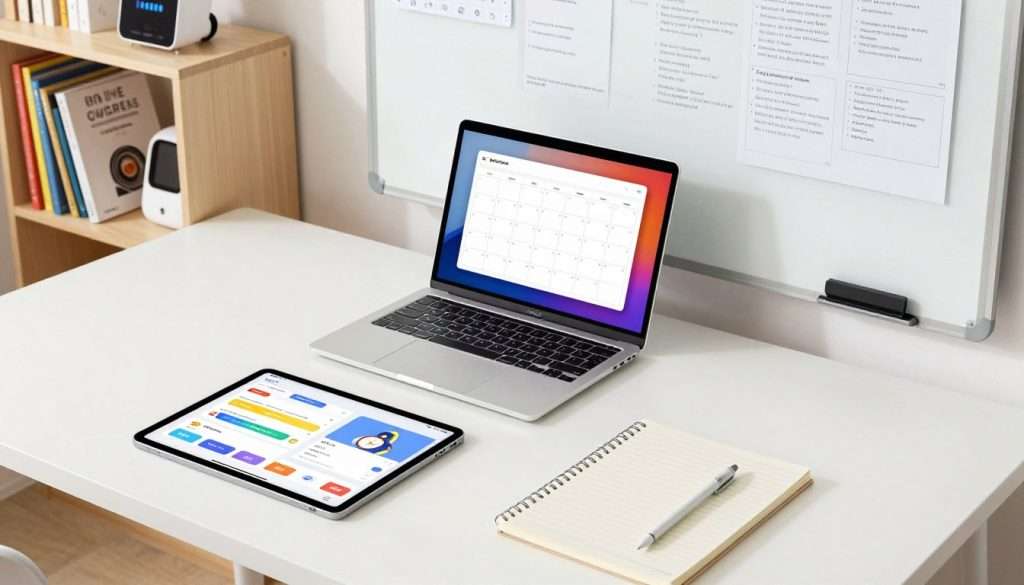
Do you ever feel like your mind is like a browser with too many tabs open? We get it. Our brains naturally find it hard to remember every detail.
Gray matter is not just for storing things. It’s where our sophisticated ideas come from. That’s why we often can’t remember that perfect quote or useful tip.
To fix this, we suggest setting up this external system. It’s a way to organize your digital life without feeling overwhelmed.
Using lifelong learning tools, we create a single place for all our notes and resources. This reliable digital partner boosts our brain power and keeps us sharp.
Key Takeaways
- Human minds excel at processing ideas, not storing them.
- Digital setups help manage overwhelming amounts of info.
- External repositories expand our natural memory capacity.
- Creative potential increases when we offload storage tasks.
- Modern tech acts as one reliable partner to students.
- Organizing resources streamlines the educational journey.
What is a Second Brain and Why It Matters
The idea of a Second Brain is changing how we handle information. It turns a lot of data into something we can easily use. This system is like an extra brain that helps us learn, create, and solve problems.
The Concept of External Knowledge Storage
Our brains used to be the only place for our knowledge. But now, with so much information, they can’t keep up. That’s why we need a way to store information outside our brains.
Using digital tools, we can save our knowledge and find it easily. This makes our brains free to think creatively.
How a Second Brain Differs from Traditional Note-Taking
Traditional note-taking just saves information. But a Second Brain does more. It connects ideas and helps us learn and solve problems.
A Second Brain is different because it:
- Stores more than just notes, like ideas and insights.
- Links information together, making a network of knowledge.
- Grows as we add new information, connecting it to what we already know.
The Science Behind Cognitive Offloading and Memory Enhancement
Cognitive offloading means moving information from our brain to an external system. This helps our memory by making it easier to focus on important tasks. Studies show it can improve how well we remember things and learn.
A Second Brain works by letting us store information outside our brain. This helps us:
| Benefit | Description |
|---|---|
| Improved Memory Recall | By storing information outside, we make it easier to remember important details. |
| Enhanced Creativity | A Second Brain helps us connect different ideas, making us more creative. |
| Better Organization | Information is organized well, making it simple to find and review. |
Understanding the Second Brain can greatly improve how we manage our knowledge. It leads to better productivity, creativity, and learning.
Benefits of Building Your Second Brain System
The idea of a Second Brain is more than a trend. It’s a real solution for dealing with too much information and improving how we think. By creating a Second Brain, you make a system that stores and connects different ideas and insights.
Overcoming Information Overload in the Digital Age
In today’s world, we face a flood of information from everywhere. A Second Brain helps you sort and manage this information well. It lets you focus on what’s really important by filtering out the rest.
Here are some ways a Second Brain helps you deal with too much information:
- It puts all your information in one place that’s easy to get to.
- It lets you tag and categorize information so you can find it fast.
- It helps you make a personal filter to find what’s most important.
Boosting Productivity and Creative Output
A well-organized Second Brain boosts your productivity and creativity. It keeps all your knowledge and ideas in one spot. This makes it easy to find what you need for tasks and projects.
| Productivity Benefits | Creative Benefits |
|---|---|
| Efficient information retrieval | Enhanced idea generation |
| Streamlined task management | Better connections between seemingly unrelated ideas |
| Reduced time spent searching for information | Increased innovation through cross-pollination of ideas |
Using your Second Brain can significantly enhance your productivity and unlock new creativity.
Transforming Passive Consumption into Active Learning
A Second Brain does more than just store information. It turns passive reading into active learning. By engaging with the information, you can find key insights and apply them to your life and work.
Active learning through a Second Brain involves:
- Summarizing and synthesizing information
- Connecting new ideas to existing knowledge
- Applying insights to real-world problems and projects
This way, you turn information into knowledge and knowledge into actionable insights that help you grow personally and professionally.
By gathering ideas from different places, you build a valuable collection for your projects and goals. You’ll have a record of personal discoveries, lessons, and insights for any situation. By using a Second Brain, you free your mind to imagine, create, and be present.
Essential Principles of Personal Knowledge Management
Unlocking your Second Brain’s full potential starts with mastering key principles. It’s about creating a system that stores and enhances your learning. This system should help you apply what you learn effectively.
The CODE framework is key. It stands for Capture, Organize, Distill, and Express. It works with the PARA filing structure to make managing your knowledge easier.
Capture Everything Worth Remembering
Capturing information is the first step. You need a system to catch ideas and insights as they come. Make it a habit to capture everything worth remembering.
Critical thinking isn’t needed yet. Just focus on capturing anything that stands out or seems important. This could be a quote, an idea from a conversation, or an insight from an experience.
Organize for Actionability, Not Perfection
After capturing, organize your information for action. Don’t aim for perfection. Just make it easy to find and use when needed.
The PARA method is a good way to organize. It uses Projects, Areas, Resources, and Archives. This keeps your Second Brain functional and easy to use.
Connect Ideas Across Different Domains
A Second Brain’s strength is connecting unrelated ideas. By storing information from various domains, you can spark creativity and innovation.
Look for connections between different pieces of information. Use tools or techniques to link ideas. Aim to create a network of knowledge that’s more than the sum of its parts.
Distill Information to Its Essence
Distilling information means simplifying complex ideas. This makes your knowledge base more actionable. It ensures you can quickly understand the main points.
Tools like progressive summarization are helpful. They help you break down information to its core insights. This makes it easier to review and apply.
Choosing the Right Digital Tools for Your Second Brain
Starting a second brain needs the right digital tools. There are many options, so it’s key to look at each app’s features. This helps find the best fit for your needs.
Popular tools for a second brain include Notion, Obsidian, and Evernote. Each has special features for different users.
Notion: All-in-One Workspace for Knowledge Management
Notion is a flexible tool for managing knowledge. It lets you make notes, databases, and pages in a customizable way. It’s great for handling lots of information in one place.
Obsidian: Networked Thinking with Markdown
Obsidian helps with networked thinking and uses Markdown for notes. It lets you link notes together, making connections clear. It’s perfect for those who like to see how ideas relate.
Evernote: Classic Note-Taking with Powerful Search
Evernote is known for its search and organization. It can handle text, images, and audio, syncing across devices. It’s ideal for those who value easy use and strong search.
Selecting Tools That Match Your Workflow
Choosing a tool for your second brain depends on your needs and how you work. The best tool should fit your daily routine. Here’s a quick look at the tools mentioned:
| Tool | Key Features | Ideal For |
|---|---|---|
| Notion | All-in-one workspace, customizable, integrates various content types | Those needing flexibility and integration of different content types |
| Obsidian | Networked thinking, Markdown support, knowledge graph visualization | Users who value linking ideas and visualizing their knowledge |
| Evernote | Powerful search, robust organization, syncs across devices | Those prioritizing ease of use and reliable search functionality |
By looking at these points and each tool’s features, you can choose wisely. This choice will help your second brain grow and work better.
Setting Up Your Information Capture System
Let’s explore how to set up a smooth information capture system across all your devices. This is key to building your second brain. It lets you gather and store info from many places easily.
Frictionless Capture Methods Across Devices
To capture info well, you need tools that make saving content easy. There are many tools out there, like ebook apps and read later apps. The goal is to pick tools that work well together and are easy to use on all your devices.
For example, using a web clipper like Evernote or a read later app like Pocket helps save articles. Note-taking apps like Notion or Obsidian are great for jotting down ideas on the go.
Deciding What Information Deserves to Be Saved
Not everything is worth saving. It’s important to learn to choose wisely. Ask yourself if the info is relevant to your projects or interests. Does it offer new insights?
Save info that matches your goals or piques your curiosity. Over time, you’ll know what to save and what to discard.
Implementing Effective Tagging and Metadata Strategies
After capturing info, organize it so you can find it easily. Tags and metadata are key here. Tags help you search and categorize, while metadata adds context.
Use tags to label notes by topic or project. Some apps let you add metadata like the date or author. This makes searching and understanding your info much easier.
| Tool | Purpose | Example |
|---|---|---|
| Ebook Apps | Reading and annotating ebooks | Kindle, Apple Books |
| Read Later Apps | Saving articles for later | Pocket, Instapaper |
| Note-taking Apps | Capturing ideas and notes | Notion, Obsidian |
By using these strategies, you’ll create a great info capture system. It will boost your personal knowledge management and help with memory enhancement techniques.
Organizing Your Second Brain with the PARA Method
Imagine a system that sorts your digital info well. That’s what the PARA method does. It’s a simple, flexible way to organize digital info across different platforms. It focuses on what you need to do now.
The PARA method sorts info into four main groups: Projects, Areas, Resources, and Archives. This makes managing your digital life easier. It helps you focus on what’s important and keeps your info tidy.
Active Work with Clear Deadlines
Projects are tasks you’re working on now with deadlines. These can be work tasks or personal goals. Keeping projects organized helps you stay on track with urgent tasks.
For example, a research paper project might include notes, references, and drafts. Having all this in one place helps you manage your time better.
Ongoing Responsibilities and Standards
Areas are about ongoing tasks or standards you need to keep up with. They’re not just tasks with deadlines but are key for your life. Examples include staying healthy, managing money, or keeping family ties strong.
Organizing your areas helps you meet ongoing commitments and keep high standards in your life.
Topics and Interests for Future Reference
Resources are topics or interests you’re not working on now but might need later. This is great for saving info you might need later, like articles or courses.
For example, if you want to learn a new language, you might save language learning resources for later.
Completed or Inactive Information
Archives are for info you’ve finished or that’s no longer active. This includes completed projects, old resources, or areas that are no longer relevant. Archiving info helps clear your workspace and keeps things organized.
Here’s how the PARA method looks in a table:
| Category | Description | Examples |
|---|---|---|
| Projects | Active work with clear deadlines | Research papers, work assignments, personal goals |
| Areas | Ongoing responsibilities and standards | Health, finances, family relationships |
| Resources | Topics and interests for future reference | Articles, books, courses, tutorials |
| Archives | Completed or inactive information | Finished projects, outdated resources |
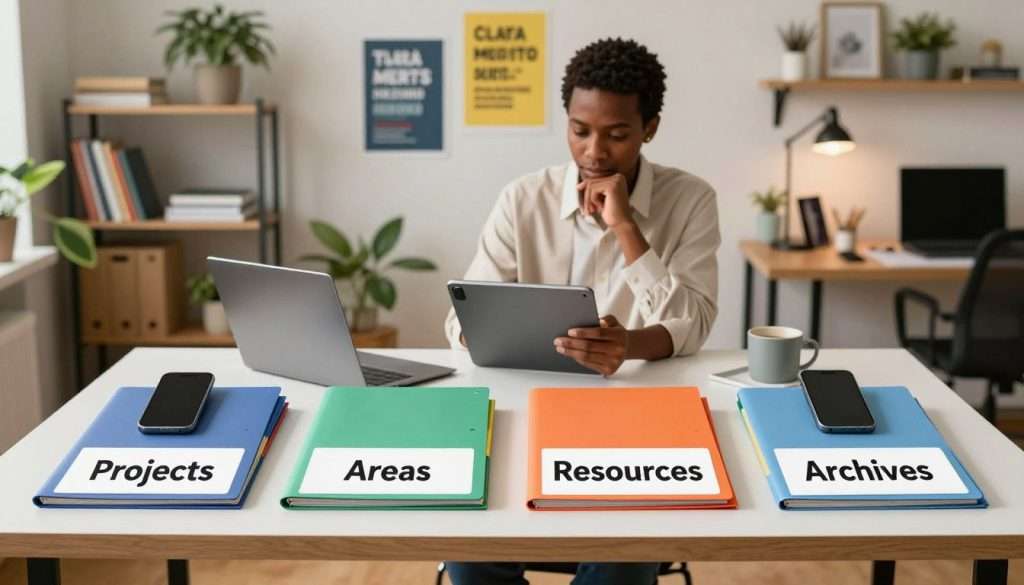
Using the PARA method helps you manage your digital info better. It boosts productivity and reduces stress by keeping your digital life organized.
Building a Second Brain: Putting It All Together
We’re now ready to create a Second Brain that stores info and boosts lifelong learning hacks. This system will improve your cognitive productivity strategies by combining different parts.
There are four main steps: using Progressive Summarization, making connections between notes, setting up a learning workflow, and turning knowledge into actions.
Implementing Progressive Summarization Techniques
Progressive Summarization helps you summarize notes in stages. This way, your future self can easily use them. It’s like building a treasure of knowledge that’s yours.
This method lets you add layers to your notes. Start with a quick summary, then narrow it down to key points. End with a brief statement of the main ideas.
Creating Networked Connections Between Your Notes
Linking your notes is key for new ideas and insights. It helps you see how different concepts are connected. This deepens your understanding.
By linking notes, you create a map of your knowledge. Each note is a node that connects to others. This forms a complex web of info.
Developing Your Personal Learning and Review Workflow
Creating a personal learning workflow is crucial. It should fit your schedule, whether daily, weekly, or monthly. Sticking to it is important.
Your workflow should match your needs and goals. Use the tools and methods that work best for you. This way, you can turn captured knowledge into actionable insights and progress in your life.
Turning Captured Knowledge into Actionable Insights
The goal of a Second Brain is to use captured knowledge wisely. Regularly review your notes to spot patterns and connections. Use this info to guide your decisions and actions.
By following these steps and improving your system, you’ll unlock your Second Brain’s full potential. This will help you reach your goals more effectively.
Maintaining and Reviewing Your Second Brain Regularly
Your second brain is like a garden; it needs regular care to grow. After setting up your personal knowledge management system, it’s time to keep it working well. This helps support your learning and productivity goals.
Keeping your second brain system in top shape is key. It’s not just about collecting info; it’s about using it to your advantage. We do this by regularly reviewing and updating it.
Weekly Review Habits
Having a weekly review habit is crucial. Set a time each week to check your notes, update your system, and keep everything current. This habit helps in:
- Clearing out irrelevant information
- Updating links and references
- Reflecting on your progress and adjusting your goals
This keeps your second brain system organized and focused on what’s important.
Monthly Deep Dives and Reorganization
Weekly reviews keep things tidy, but monthly deep dives are for a deeper look. This involves:
- Reviewing your entire knowledge base
- Reorganizing categories and tags as needed
- Identifying patterns and connections between different pieces of information
This process keeps your second brain useful and intact.
Evolving Your System
As your needs and goals change, so should your second brain system. Regularly check if your tools and methods are still working for you. Be open to:
- Adopting new tools or features that can enhance your system
- Adjusting your workflow to better suit your current priorities
- Reflecting on what’s working and what areas need improvement

By regularly reviewing and adapting your second brain system, you keep it a powerful tool for personal knowledge management.
Common Mistakes to Avoid in Your Second Brain Journey
Starting a Second Brain can be tricky. Knowing what not to do is key. Stay on track and get the most from your digital brain by avoiding common mistakes.
The Collector’s Fallacy: Saving Without Processing
Don’t fall into the Collector’s Fallacy. Saving info without processing it can make your system cluttered. It’s important to process what you save, distill it, and link it to what you already know.
For example, when you find an interesting article, don’t just save it. Summarize the main points, think about how it fits with your projects, and tag it. This way, you turn saved info into useful insights.
Over-Organizing Instead of Creating Value
Don’t over-organize your Second Brain at the cost of value. Some organization is good, but too much can be a problem. Your Second Brain should help you be more productive and creative, not just be organized.
Find a balance by making your system functional and flexible. Start simple and adjust as you learn more about your needs and how you work.
Switching Tools Too Frequently
Switching tools too often can be a big problem. It’s good to try new tools, but changing too much can be a waste of time.
Before switching, really think about whether the new tool is better for you. See how it fits with what you’re already doing. Stick with it for a while before deciding to change again.
Neglecting to Connect New Ideas with Existing Knowledge
Not linking new ideas to what you already know is a lost chance for insight. Your Second Brain is strongest when it shows connections between different pieces of info.
Make connections by reviewing new info with what you already know. Ask yourself how it fits with your existing knowledge. By looking for these connections, you can unlock your Second Brain’s full power.
Conclusion
Building your “second brain” is a game-changer for lifelong learning. It changes how you learn, process, and use information. With a Second Brain, you always have something to inspire or guide you in your projects and interests.
By using the tools and principles we talked about, you’re not just organizing info. You’re unlocking a tool that boosts your productivity and growth. Your Second Brain becomes a trusted friend on your learning journey, helping you make sense of the world.
We urge you to start building your Second Brain today. It will give you the freedom and power to manage your knowledge and ideas. As you keep learning, you’ll find new ways to use your Second Brain. It will become a key part of your lifelong learning journey.