

Do you feel like social media is stopping you from being productive? You’re not alone! Today, it’s easy to get lost in notifications, endless scrolling, and online temptations. But what if you could stay connected without losing focus?
We understand that deleting social media isn’t a good option for most. Instead, we need distractions management tips and focus techniques to stay focused. With simple yet effective strategies, you can boost your productivity and reach your goals without giving up social media.
It’s time to take charge of your digital life and find increase productivity methods that suit you. Let’s look at how to beat distractions and keep your focus on what’s important.
Key Takeaways
- Effective strategies for managing digital distractions
- Practical focus techniques to boost productivity
- Methods to increase productivity without deleting social media
- Tips for maintaining a healthy balance between connectivity and focus
- Simple tricks to outsmart distractions and stay on track
The Modern Attention Crisis
We’re in an era where notifications, social media, and endless info are taking over our focus. The constant buzz of notifications from our devices is a big problem. It makes it hard to stay on track with important tasks.
This interruption-based culture hurts our productivity. It breaks our focus and makes it hard to get into a flow state. Studies show it takes 23 minutes to get back on track after being interrupted. This shows how digital distractions affect our work.
The Real Cost of Digital Distractions
Digital distractions cost us more than just lost time. They also harm our mental health, causing stress and feeling overwhelmed. Constantly switching tasks means we can’t fully engage with anything. This leads to feeling unfulfilled.
Why Quitting Social Media Isn’t Always the Answer
Quitting social media might seem like a simple fix, but it’s not always the best choice. Social media helps us stay connected, find info, and grow businesses. Instead of giving it up, we should learn to manage our use. This way, we can stay focused on our goals while still using social media’s benefits.
Understanding Your Brain’s Vulnerability to Distractions
In today’s world, our brains fight distractions all the time. Knowing this fight is important for better focus. Our daily digital devices aim to grab our attention, with every alert or pop-up trying to pull us away from work.
The Dopamine-Driven Attention Economy
The attention economy uses our brain’s reward system to keep us hooked. Each notification releases dopamine, making us want more. To improve concentration skills, we must understand this cycle and find ways to stop it.
Your Brain on Notifications: The Science of Interruption
Notifications disrupt our work, making our brains jump between tasks. It takes about 23 minutes to get back on track after an interruption. To avoid procrastination habits, we must control our notifications better. Knowing how they affect us helps us stay focused on our goals.
How to Outsmart Your Own Distractions (Without Deleting Social Media)
Outsmarting distractions isn’t about avoiding social media entirely; it’s about being smarter than your phone. We need to see social media as a tool, like any other. Its impact depends on how we use it. The key is to understand our personal distraction patterns and develop strategies to manage them effectively.
Recognizing Your Personal Distraction Patterns
The first step in managing distractions is to recognize when and why you’re getting sidetracked. Are you a compulsive checker of notifications? Do you get sucked into infinite scrolling during breaks? Tracking your behavior is crucial. You can use apps or simple journaling to monitor when distractions occur and what triggers them.
Creating a Personalized Distraction Management System
Once you’re aware of your distraction patterns, it’s time to create a management system tailored to your needs. This might involve time-blocking with non-negotiable rules to transform your productivity. As the data suggests, “Time blocking with a non-negotiable rule can transform productivity by creating a clear finish line and removing decision fatigue.” By scheduling your tasks and breaks, you can minimize the impact of digital distractions.
Implementing Strategic Friction Points
To outsmart distractions, we need to introduce friction into our digital habits. This can be as simple as turning off non-essential notifications or using website blockers during work hours.
“You can’t control the wind, but you can adjust your sails.”
By implementing these strategic friction points, you can steer your focus towards what’s important.
Reclaiming Control with App Settings and Tools
Staying focused is all about using the right app settings and digital tools. In today’s world, distractions are everywhere. But, with the right strategies, you can stay on track.
Essential Screen Time Management Features
Most smartphones have built-in features to manage screen time. Apple’s Screen Time and Google’s Digital Wellbeing show how much time you spend on apps. They help you set limits and take breaks.
Third-Party Focus Apps Worth Trying
There are many third-party apps to help you stay focused. Some top picks include:
- Freedom: Blocks distracting apps across all your devices.
- Forest: Encourages focus by growing a virtual forest as you stay on task.
- Cold Turkey: Blocks distracting websites and apps, with customizable settings.
For Apple Users
Apple users can try Focus@Will. It offers music that helps you concentrate better.
For Android Users
Android users might like StayFocused. It limits access to distracting apps, helping you stay focused.
Browser Extensions That Block Distractions
Besides mobile apps, browser extensions can also help. StayFocusd for Chrome or LeechBlock for Firefox block distracting websites. They help you stay focused on your work.
| Tool | Description | Platform |
|---|---|---|
| Freedom | Blocks distracting apps across all devices | iOS, Android, Mac, Windows |
| Forest | Grows a virtual forest as you stay focused | iOS, Android |
| StayFocusd | Limits time spent on distracting websites | Chrome |
By using these tools and features, you can manage distractions well. As Nir Eyal says, “You can’t control the winds, but you can adjust your sails.” With the right tools, you can better navigate the digital world.
“The ability to concentrate and use your time well is everything.”
The Power of Digital Boundaries
In today’s world, it’s crucial to set limits on our digital use. Our devices are always close, making it hard to avoid endless notifications and social media. But, by setting clear digital limits, we can boost our focus and productivity.
Setting Up Notification Filters That Work
Managing digital distractions starts with notification filters. These filters let you choose which alerts you see. For example, you can:
- Prioritize notifications from specific contacts or apps
- Set your device to “Do Not Disturb” mode during certain hours or events
- Use notification filtering features to categorize and manage your alerts
These filters help cut down on distractions. They let you focus on what really matters.
Creating Digital “No-Go Zones” in Your Day
Creating digital “no-go zones” is another great way to improve concentration. This means setting times or places where you don’t use devices. For instance, you might:
- Make your bedroom a device-free zone to improve sleep quality
- Establish “tech-free” times during meals or family activities
- Set aside device-free hours in the morning or evening for relaxation or focus
These boundaries help you develop better digital habits. They also improve your overall well-being.
Time-Blocking: Your Secret Weapon Against Distractions
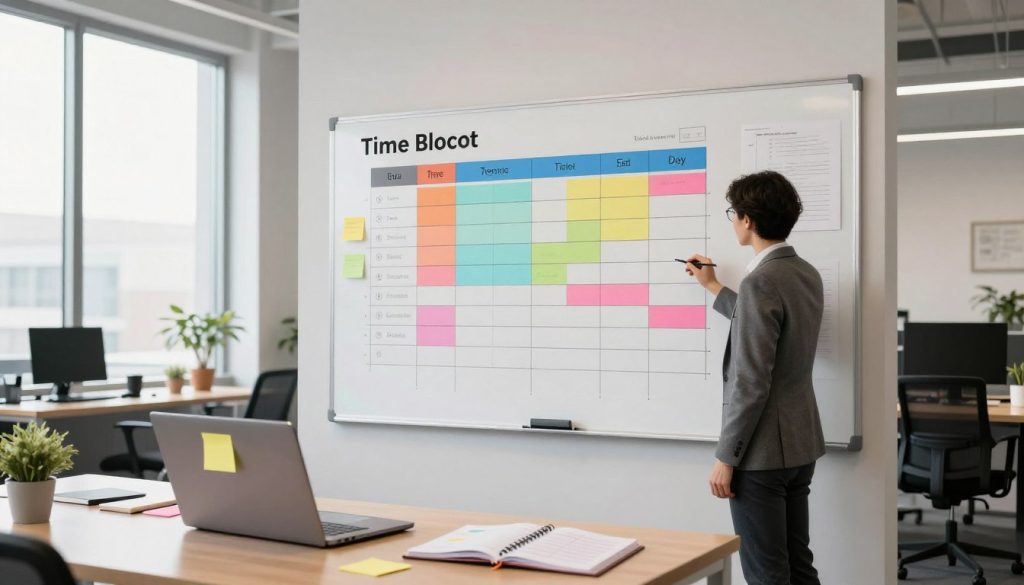
Notifications can easily distract us. But, time-blocking is a simple way to stay focused. It involves setting aside fixed times for tasks, helping you stay productive.
Time-blocking is more than a to-do list. It’s a schedule that respects your focus. It lets you work on important tasks without feeling guilty about social media or other distractions. This method can really help you stay on track.
How to Design an Effective Time-Blocking System
To start time-blocking, list your most important tasks and schedule them. Be honest about how long each task will take. Remember to include breaks too. A good time-blocking system should be flexible for unexpected tasks or schedule changes.
Incorporating Planned Social Media Breaks
Time-blocking lets you plan social media breaks. This helps you stay focused during work times. By setting specific times to check social media, you avoid constant scrolling.
The Pomodoro Technique for Social Media Users
The Pomodoro Technique is great for social media users. It involves working in 25-minute focused blocks, then taking a 5-minute break. This keeps you productive and lets you stay connected.
Using time-blocking and the Pomodoro Technique can boost your productivity. It’s about finding a rhythm that works for you and sticking to it.
The 80/20 Rule for Social Media Consumption
The 80/20 rule, also known as the Pareto principle, can change how you use social media. It says 80% of results come from 20% of efforts. This means most of your time is spent on content that doesn’t add much value.
To enhance work efficiency and minimize digital distractions, focus on what’s truly valuable. By doing this, you can make your feeds more beneficial and save time on less important info.
Identifying High-Value vs. Low-Value Content
To use the 80/20 rule well, you must tell high-value from low-value content. High-value content is:
- Content that gives you actionable insights or knowledge
- Content that sparks meaningful conversations
- Content that inspires creativity or new ideas
Low-value content, on the other hand, is:
- Content that’s just for fun but doesn’t last
- Content that makes you feel bad about yourself
- Content that’s too promotional or spammy
Curating Your Feeds for Maximum Benefit
After finding high-value content, it’s time to organize your feeds. Here are some tips:
- Stop following or muting accounts that post low-value content
- Follow accounts that post high-value content you’re interested in
- Use lists or groups to organize your follows and find relevant content fast
By following these steps, you can make your social media use more focused and productive.
Environment Design for Deep Focus
Creating an environment for deep work is key in today’s world full of distractions. We must think about both our physical and digital spaces.
Creating Physical Spaces That Minimize Distractions
Your physical space greatly affects your focus. Start by decluttering your workspace. A clean area reduces visual distractions and clears your mind.
Choose ergonomic furniture for comfort and to avoid fatigue. Noise levels matter too. Some like silence, while others prefer background noise. Tools like noise-cancelling headphones or apps with white noise are very helpful.
Digital Environment Optimization Techniques
Optimizing your digital space is as important as your physical one. Organize your computer files and folders well. Use browser extensions to block distracting websites or limit app access during work hours.
Try a digital declutter routine. Regularly clean up your digital space by unsubscribing from emails or deleting unused apps.
| Technique | Description | Benefit |
|---|---|---|
| Website Blockers | Tools that limit access to distracting websites | Improved focus on tasks |
| Digital Declutter | Regular cleanup of digital files and subscriptions | Reduced digital noise and distractions |
| Notification Management | Customizing notification settings to minimize interruptions | Better control over your attention |
By using these strategies, you can greatly improve your focus and productivity in a world full of distractions.
Mindfulness Practices for Strengthening Attention
Mindfulness is a great tool for dealing with distractions in our busy lives. It helps us improve our concentration skills and avoid procrastination habits. Mindfulness isn’t about getting rid of distractions completely. It’s about learning to handle them better.
There are many ways to add mindfulness to our daily lives. Here are some easy techniques to try:
Quick Meditation Techniques for Refocusing
Quick meditation can help you focus when your mind starts to wander. Try taking a few deep breaths. Feel the breath move in and out of your body. This simple act can calm your mind and bring you back to the present.
Developing Meta-Awareness of Distraction Triggers
Meta-awareness means knowing what distracts you. By recognizing these triggers, you can take steps to reduce their impact. For example, if social media distracts you at certain times, limit your access during those times.
The “Notice and Return” Practice
The “notice and return” practice is simple yet effective. When your mind wanders, notice the distraction and gently refocus on your task. This practice helps you stay focused over time.
| Mindfulness Practice | Benefit | Implementation Tip |
|---|---|---|
| Quick Meditation | Refocuses attention | Take a few deep breaths |
| Meta-Awareness | Recognizes distraction triggers | Monitor your thoughts and feelings |
| Notice and Return | Builds sustained attention | Gently refocus your attention |

Accountability Systems That Actually Work
To beat distractions, the right accountability is key. It boosts work efficiency and controls social media time. You need the right tools, partners, and personal commitment.
Finding the Right Accountability Partner
Having someone to report to boosts your productivity. It could be a friend, family, or colleague with similar goals. Regular meetings keep you motivated and on track.
Apps and Services That Keep You Honest
Many apps and services help manage time and stay focused. Tools like Toggl and RescueTime track your time. Apps like Freedom and StayFocusd block distractions. They help you stick to your goals.
| App/Service | Primary Function | Platform |
|---|---|---|
| Toggl | Time Tracking | Web, Mobile |
| RescueTime | Time Management | Web, Mobile |
| Freedom | Focus Enhancement | Web, Mobile, Mac |
Social Media Usage Contracts with Yourself
Make a personal contract for social media goals and penalties. It’s a strong motivator. It helps you stay focused and develop better social media habits.
These accountability systems improve work efficiency and social media time management.
Turning Distraction Management into Lasting Habits
To beat distractions, we must make our strategies habits. This is key for lasting productivity. It needs careful planning.
The 66-Day Habit Formation Timeline
Studies say it takes about 66 days for a habit to stick. This time can change based on the person and the habit. Knowing this helps us set fair goals for ourselves.
Tracking Progress and Celebrating Small Wins
Keeping track of our progress keeps us motivated. Celebrating small victories boosts our positive actions. It helps us stay on track with our goals.
Recovering from Inevitable Setbacks
Setbacks are part of forming habits. Instead of giving up, we should bounce back fast. This way, we can keep moving towards our goals.
By knowing how habits form, tracking our journey, and bouncing back from setbacks, we can make distraction management a lasting habit. This boosts our productivity methods and distraction strategies over time.
| Habit Formation Stage | Timeline | Key Actions |
|---|---|---|
| Initial Commitment | 0-21 days | Set clear goals, track progress |
| Habit Formation | 21-66 days | Celebrate small wins, stay consistent |
| Long-term Maintenance | 66+ days | Recover from setbacks, maintain habits |
“You don’t have to be great to start, but you have to start to be great.”
By taking these steps and staying dedicated, we can build the habits needed to manage distractions well. This helps us reach our goals.
Conclusion: Thriving in a Distraction-Rich World
We’ve looked at ways to cut down on digital distractions and boost your focus. Knowing how your brain gets distracted and your own patterns helps you manage better. You can make a plan that works just for you.
Using tools like app settings and digital boundaries can really help you stay productive. Mindfulness and keeping yourself accountable also play big roles. It’s all about trying different methods until you find what suits you best.
Remember, fighting distractions is a journey. Be kind to yourself when you slip up. With regular practice and the right strategies, you can overcome distractions and reach your goals.